本文将介绍如何快速使用 Vue CLI 创建一个 Vue 项目。Vue CLI 是一个基于 Vue.js 进行快速开发的完整系统,它提供了项目构建、开发服务器、热重载、单元测试运行、代码规范和 linting 等功能。
下面将介绍如何快速使用 Vue CLI 创建一个 Vue 项目。
Vue CLI 是一个基于 Vue.js 进行快速开发的完整系统,它提供了项目构建、开发服务器、热重载、单元测试运行、代码规范和 linting 等功能。
以下是如何使用 Vue CLI 创建一个新的 Vue 项目的步骤:
安装 Vue CLI
首先,你需要在你的机器上全局安装 Vue CLI。打开命令行工具(如终端、命令提示符或 PowerShell),然后运行以下命令:
npm install -g @vue/cli
# 或者如果你使用 yarn
yarn global add @vue/cli
下面使用 npm 安装 Vue CLI,如下:
# 查看 npm 版本
E:\~work_demo\demo_web_sdk\test> npm -version
10.8.2

# 安装 Vue CLI
E:\~work_demo\demo_web_sdk\test> npm install -g @vue/cli
npm warn deprecated inflight@1.0.6: This module is not supported, and leaks memory. Do not use it. Check out lru-cache if you want a good and tested way to coalesce async requests by a key value, which is much more comprehensive and powerful.
npm warn deprecated rimraf@3.0.2: Rimraf versions prior to v4 are no longer supported
npm warn deprecated glob@7.2.3: Glob versions prior to v9 are no longer supported
npm warn deprecated source-map-url@0.4.1: See https://github.com/lydell/source-map-url#deprecated
npm warn deprecated urix@0.1.0: Please see https://github.com/lydell/urix#deprecated
npm warn deprecated resolve-url@0.2.1: https://github.com/lydell/resolve-url#deprecated
npm warn deprecated source-map-resolve@0.5.3: See https://github.com/lydell/source-map-resolve#deprecated
npm warn deprecated rimraf@2.6.3: Rimraf versions prior to v4 are no longer supported
npm warn deprecated @babel/plugin-proposal-nullish-coalescing-operator@7.18.6: This proposal has been merged to the ECMAScript standard and thus this plugin is no longer
maintained. Please use @babel/plugin-transform-nullish-coalescing-operator instead.
npm warn deprecated @babel/plugin-proposal-class-properties@7.18.6: This proposal has been merged to the ECMAScript standard and thus this plugin is no longer maintained. Please use @babel/plugin-transform-class-properties instead.
npm warn deprecated @babel/plugin-proposal-optional-chaining@7.21.0: This proposal has been merged to the ECMAScript standard and thus this plugin is no longer maintained. Please use @babel/plugin-transform-optional-chaining instead.
npm warn deprecated apollo-server-errors@3.3.1: The `apollo-server-errors` package is part of Apollo Server v2 and v3, which are now deprecated (end-of-life October 22nd
2023 and October 22nd 2024, respectively). This package's functionality is now found in the `@apollo/server` package. See https://www.apollographql.com/docs/apollo-server/previous-versions/ for more details.
npm warn deprecated apollo-server-plugin-base@3.7.2: The `apollo-server-plugin-base` package is part of Apollo Server v2 and v3, which are now deprecated (end-of-life October 22nd 2023 and October 22nd 2024, respectively). This package's functionality is now found in the `@apollo/server` package. See https://www.apollographql.com/docs/apollo-server/previous-versions/ for more details.
npm warn deprecated apollo-datasource@3.3.2: The `apollo-datasource` package is part of Apollo Server v2 and v3, which are now deprecated (end-of-life October 22nd 2023 and October 22nd 2024, respectively). See https://www.apollographql.com/docs/apollo-server/previous-versions/ for more details.
npm warn deprecated apollo-server-env@4.2.1: The `apollo-server-env` package is part of Apollo Server v2 and v3, which are now deprecated (end-of-life October 22nd 2023 and October 22nd 2024, respectively). This package's functionality is now found in the `@apollo/utils.fetcher` package. See https://www.apollographql.com/docs/apollo-server/previous-versions/ for more details.
npm warn deprecated apollo-reporting-protobuf@3.4.0: The `apollo-reporting-protobuf` package is part of Apollo Server v2 and v3, which are now deprecated (end-of-life October 22nd 2023 and October 22nd 2024, respectively). This package's functionality is now found in the `@apollo/usage-reporting-protobuf` package. See https://www.apollographql.com/docs/apollo-server/previous-versions/ for more details.
npm warn deprecated apollo-server-types@3.8.0: The `apollo-server-types` package is part of Apollo Server v2 and v3, which are now deprecated (end-of-life October 22nd 2023 and October 22nd 2024, respectively). This package's functionality is now found in the `@apollo/server` package. See https://www.apollographql.com/docs/apollo-server/previous-versions/ for more details.
npm warn deprecated subscriptions-transport-ws@0.11.0: The `subscriptions-transport-ws` package is no longer maintained. We recommend you use `graphql-ws` instead. For help migrating Apollo software to `graphql-ws`, see https://www.apollographql.com/docs/apollo-server/data/subscriptions/#switching-from-subscriptions-transport-ws    For general help using `graphql-ws`, see https://github.com/enisdenjo/graphql-ws/blob/master/README.md
npm warn deprecated shortid@2.2.16: Package no longer supported. Contact Support at https://www.npmjs.com/support for more info.
npm warn deprecated vue@2.7.16: Vue 2 has reached EOL and is no longer actively maintained. See https://v2.vuejs.org/eol/ for more details.

added 853 packages in 50s

74 packages are looking for funding
  run `npm fund` for details
不要忘了验证 Vue CLI 安装是否成功,使用 vue --version 命令查看 Vue CLI 版本:
E:\~work_demo\demo_web_sdk\test> vue --version
@vue/cli 5.0.8
到这里,成功安装了 Vue CLI。
创建一个新的 Vue 项目
安装完 Vue CLI 后,你可以使用 vue create 命令来创建一个新的 Vue 项目。运行以下命令:
vue create my-project
此时,Vue CLI 会提示让你选择 Vue 版本,如下:
Vue CLI v5.0.8
? Please pick a preset: (Use arrow keys)
> Default ([Vue 3] babel, eslint)
  Default ([Vue 2] babel, eslint)
  Manually select features
直接通过键盘的↑↓键选择,然后回车。我这里选择“Default ([Vue 3] babel, eslint)”,然后回车:
Vue CLI v5.0.8
  Creating project in E:\~work_demo\demo_web_sdk\test\my-project.
  Installing CLI plugins. This might take a while...


added 872 packages in 29s

100 packages are looking for funding
  run `npm fund` for details
  Invoking generators...
  Installing additional dependencies...


added 89 packages in 8s

112 packages are looking for funding
  run `npm fund` for details
  Running completion hooks...

  Generating README.md...

  Successfully created project my-project.
  Get started with the following commands:

 $ cd my-project
 $ npm run serve
如果你能看见上面输出,则项目创建完成。
运行项目
使用如下命令进入并运行项目:
# 切换到项目目录
E:\~work_demo\demo_web_sdk\test> cd my-project

# 运行项目
E:\~work_demo\demo_web_sdk\test\my-project> npm run serve

> my-project@0.1.0 serve
> vue-cli-service serve

 INFO  Starting development server...
 ...
运行成功会给出如下提示:
 DONE  Compiled successfully in 4552ms                                                                                                                            11:07:40


  App running at:
  - Local:   http://localhost:8080/
  - Network: http://10.114.13.56:8080/

  Note that the development build is not optimized.
  To create a production build, run npm run build.
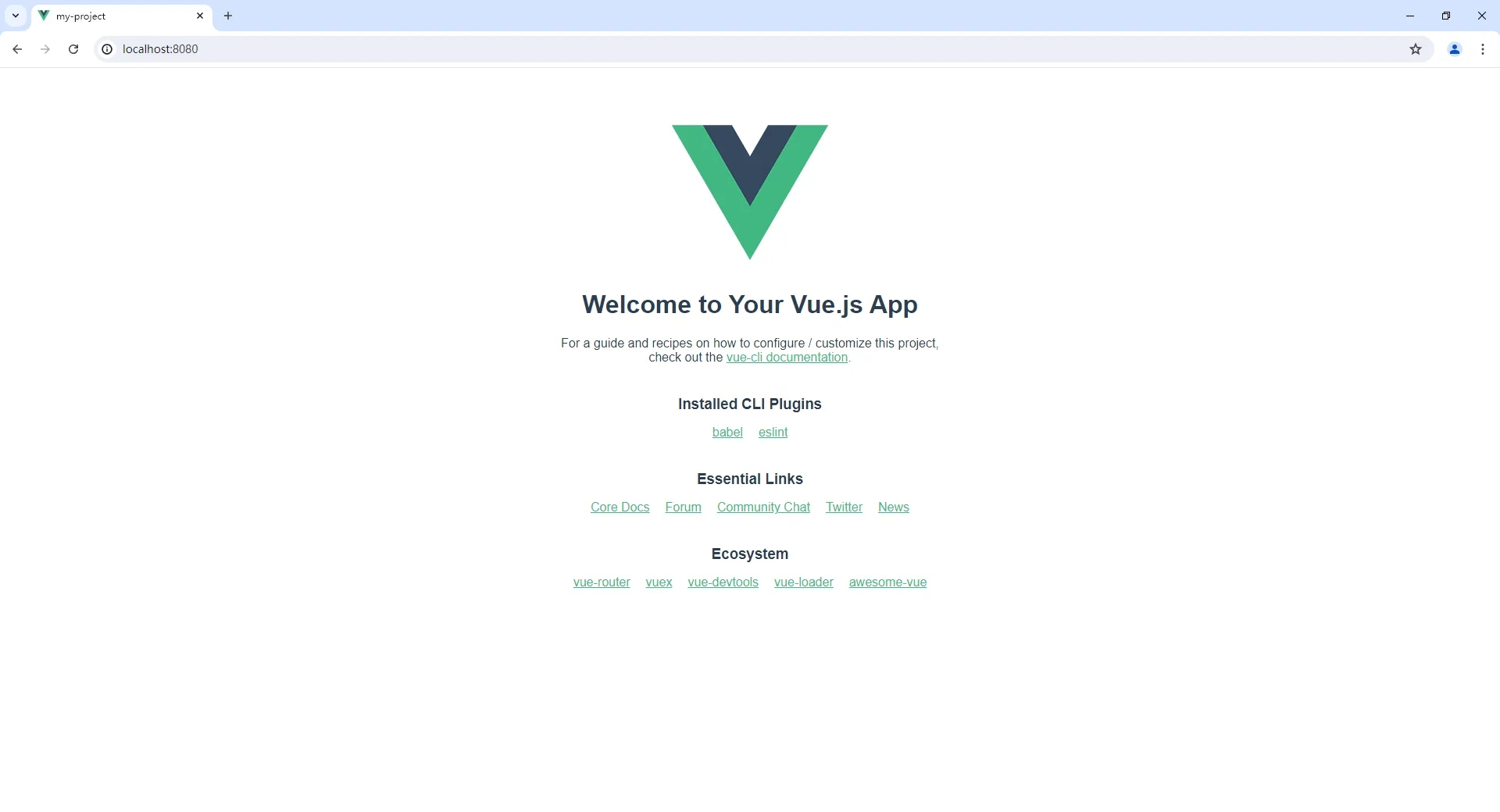
点击“http://localhost:8080/”或“http://10.114.13.56:8080/”查看项目效果,如下图:







 川公网安备51010802032098