本文详解 Ollama 网络搜索 API,涵盖 Web Search 和 Web Fetch 接口用法。提供身份验证、请求参数及响应格式说明,包含 cURL、Python 和 JavaScript 库代码示例。演示如何构建搜索代理及集成 MCP 服务器(Cline、Codex、Goose),助力模型减少幻觉并提高准确性。
Ollama 的网络搜索 API 可用于为模型补充最新信息,以减少幻觉并提高准确性。
网络搜索以 REST API 的形式提供,在 Python 和 JavaScript 库中具有更深层次的工具集成。这也使诸如 OpenAI 的 gpt-oss 模型之类的模型能够执行长期的研究任务。
身份验证
要访问 Ollama 的网络搜索 API,需创建一个API 密钥。这需要一个免费的 Ollama 账户。
网络搜索 API
对单个查询执行网络搜索并返回相关结果。
请求
POST https://ollama.com/api/web_search
响应
返回一个包含以下内容的对象:
title(字符串):网页的标题
url(字符串):网页的 URL
content(字符串):来自网页的相关内容片段
示例
请确保已设置OLLAMA_API_KEY,或者必须在 Authorization 头中传入该密钥。
cURL 请求
利用 cURL 发起请求:
curl https://ollama.com/api/web_search \
  --header "Authorization: Bearer $OLLAMA_API_KEY" \
	-d '{
	  "query":"what is ollama?"
	}'
响应如下:
{
  "results": [
    {
      "title": "Ollama",
      "url": "https://ollama.com/",
      "content": "Cloud models are now available..."
    },
    {
      "title": "What is Ollama? Introduction to the AI model management tool",
      "url": "https://www.hostinger.com/tutorials/what-is-ollama",
      "content": "Ariffud M. 6min Read..."
    },
    {
      "title": "Ollama Explained: Transforming AI Accessibility and Language ...",
      "url": "https://www.geeksforgeeks.org/artificial-intelligence/ollama-explained-transforming-ai-accessibility-and-language-processing/",
      "content": "Data Science Data Science Projects Data Analysis..."
    }
  ]
}
Python 库
使用 Python 发起网络搜索:
import ollama
response = ollama.web_search("What is Ollama?")
print(response)
示例输出
results = [
    {
        "title": "Ollama",
        "url": "https://ollama.com/",
        "content": "Cloud models are now available in Ollama..."
    },
    {
        "title": "What is Ollama? Features, Pricing, and Use Cases - Walturn",
        "url": "https://www.walturn.com/insights/what-is-ollama-features-pricing-and-use-cases",
        "content": "Our services..."
    },
    {
        "title": "Complete Ollama Guide: Installation, Usage & Code Examples",
        "url": "https://collabnix.com/complete-ollama-guide-installation-usage-code-examples",
        "content": "Join our Discord Server..."
    }
]
更多 Ollama Python 示例
AI广告位
JavaScript 库
使用 JavaScript 库发起网络搜索,如下:
import { Ollama } from "ollama";

const client = new Ollama();
const results = await client.webSearch("what is ollama?");
console.log(JSON.stringify(results, null, 2));
输出如下:
{
  "results": [
    {
      "title": "Ollama",
      "url": "https://ollama.com/",
      "content": "Cloud models are now available..."
    },
    {
      "title": "What is Ollama? Introduction to the AI model management tool",
      "url": "https://www.hostinger.com/tutorials/what-is-ollama",
      "content": "Ollama is an open-source tool..."
    },
    {
      "title": "Ollama Explained: Transforming AI Accessibility and Language Processing",
      "url": "https://www.geeksforgeeks.org/artificial-intelligence/ollama-explained-transforming-ai-accessibility-and-language-processing/",
      "content": "Ollama is a groundbreaking..."
    }
  ]
}
更多 Ollama JavaScript 示例
Web 抓取
API通过 URL 抓取单个网页并返回其内容。
请求POST https://ollama.com/api/web_fetch
示例
cURL 请求
curl --request POST \
  --url https://ollama.com/api/web_fetch \
  --header "Authorization: Bearer $OLLAMA_API_KEY" \
  --header 'Content-Type: application/json' \
  --data '{
      "url": "ollama.com"
  }'
响应如下:
{
  "title": "Ollama",
  "content": "[Cloud models](https://ollama.com/blog/cloud-models) are now available in Ollama...",
  "links": [
    "http://ollama.com/",
    "http://ollama.com/models",
    "https://github.com/ollama/ollama"
  ]
Python SDK
from ollama import web_fetch

result = web_fetch('https://ollama.com')
print(result)
响应如下:
WebFetchResponse(
    title='Ollama',
    content='[Cloud models](https://ollama.com/blog/cloud-models) are now available in Ollama\n\n**Chat & build
with open models**\n\n[Download](https://ollama.com/download) [Explore
models](https://ollama.com/models)\n\nAvailable for macOS, Windows, and Linux',
    links=['https://ollama.com/', 'https://ollama.com/models', 'https://github.com/ollama/ollama']
)
JavaScript SDK
import { Ollama } from "ollama";

const client = new Ollama();
const fetchResult = await client.webFetch("https://ollama.com");
console.log(JSON.stringify(fetchResult, null, 2));
响应如下:
{
  "title": "Ollama",
  "content": "[Cloud models](https://ollama.com/blog/cloud-models) are now available in Ollama...",
  "links": [
    "https://ollama.com/",
    "https://ollama.com/models",
    "https://github.com/ollama/ollama"
  ]
}
构建一个搜索代理
使用 Ollama 的网络搜索 API 作为工具来构建一个小型搜索代理。
本示例使用了阿里巴巴的 Qwen3 模型,该模型具有 40 亿参数。
(1)先下载 qwen 模型,命令如下:
ollama pull qwen3:4b
(2)示例代码:
from ollama import chat, web_fetch, web_search

available_tools = {'web_search': web_search, 'web_fetch': web_fetch}

messages = [{'role': 'user', 'content': "what is ollama's new engine"}]

while True:
    response = chat(
        model='qwen3:4b',
        messages=messages,
        tools=[web_search, web_fetch],
        think=True
    )
    if response.message.thinking:
        print('Thinking: ', response.message.thinking)
    if response.message.content:
        print('Content: ', response.message.content)
    messages.append(response.message)
    if response.message.tool_calls:
        print('Tool calls: ', response.message.tool_calls)
        for tool_call in response.message.tool_calls:
            function_to_call = available_tools.get(tool_call.function.name)
            if function_to_call:
                args = tool_call.function.arguments
                result = function_to_call(**args)
                print('Result: ', str(result)[:200]+'...')
                # Result is truncated for limited context lengths
                messages.append({'role': 'tool', 'content': str(result)[:2000 * 4], 'tool_name': tool_call.function.name})
            else:
                messages.append({'role': 'tool', 'content': f'Tool {tool_call.function.name} not found', 'tool_name': tool_call.function.name})
    else:
        break
结果如下:
Thinking:  Okay, the user is asking about Ollama's new engine. I need to figure out what they're referring to. Ollama is a company that develops large language models, so maybe they've released a new model or an updated version of their existing engine....

Tool calls:  [ToolCall(function=Function(name='web_search', arguments={'max_results': 3, 'query': 'Ollama new engine'}))]
Result:  results=[WebSearchResult(content='# New model scheduling\n\n## September 23, 2025\n\nOllama now includes a significantly improved model scheduling system. Ahead of running a model, Ollama’s new engine

Thinking:  Okay, the user asked about Ollama's new engine. Let me look at the search results.

First result is from September 23, 2025, talking about new model scheduling. It mentions improved memory management, reduced crashes, better GPU utilization, and multi-GPU performance. Examples show speed improvements and accurate memory reporting. Supported models include gemma3, llama4, qwen3, etc...

Content:  Ollama has introduced two key updates to its engine, both released in 2025:

1. **Enhanced Model Scheduling (September 23, 2025)**
   - **Precision Memory Management**: Exact memory allocation reduces out-of-memory crashes and optimizes GPU utilization.
   - **Performance Gains**: Examples show significant speed improvements (e.g., 85.54 tokens/s vs 52.02 tokens/s) and full GPU layer utilization.
   - **Multi-GPU Support**: Improved efficiency across multiple GPUs, with accurate memory reporting via tools like `nvidia-smi`.
   - **Supported Models**: Includes `gemma3`, `llama4`, `qwen3`, `mistral-small3.2`, and more.

2. **Multimodal Engine (May 15, 2025)**
   - **Vision Support**: First-class support for vision models, including `llama4:scout` (109B parameters), `gemma3`, `qwen2.5vl`, and `mistral-small3.1`.
   - **Multimodal Tasks**: Examples include identifying animals in multiple images, answering location-based questions from videos, and document scanning.

These updates highlight Ollama's focus on efficiency, performance, and expanded capabilities for both text and vision tasks.
上下文长度和智能体
网络搜索结果可能会返回数千个标记。建议将模型的上下文长度至少增加到约32000个标记。搜索智能体在使用完整上下文长度时效果最佳。Ollama的云模型以完整的上下文长度运行。。
MCP服务器
你可以通过Python MCP服务器在任何MCP客户端中启用网络搜索。
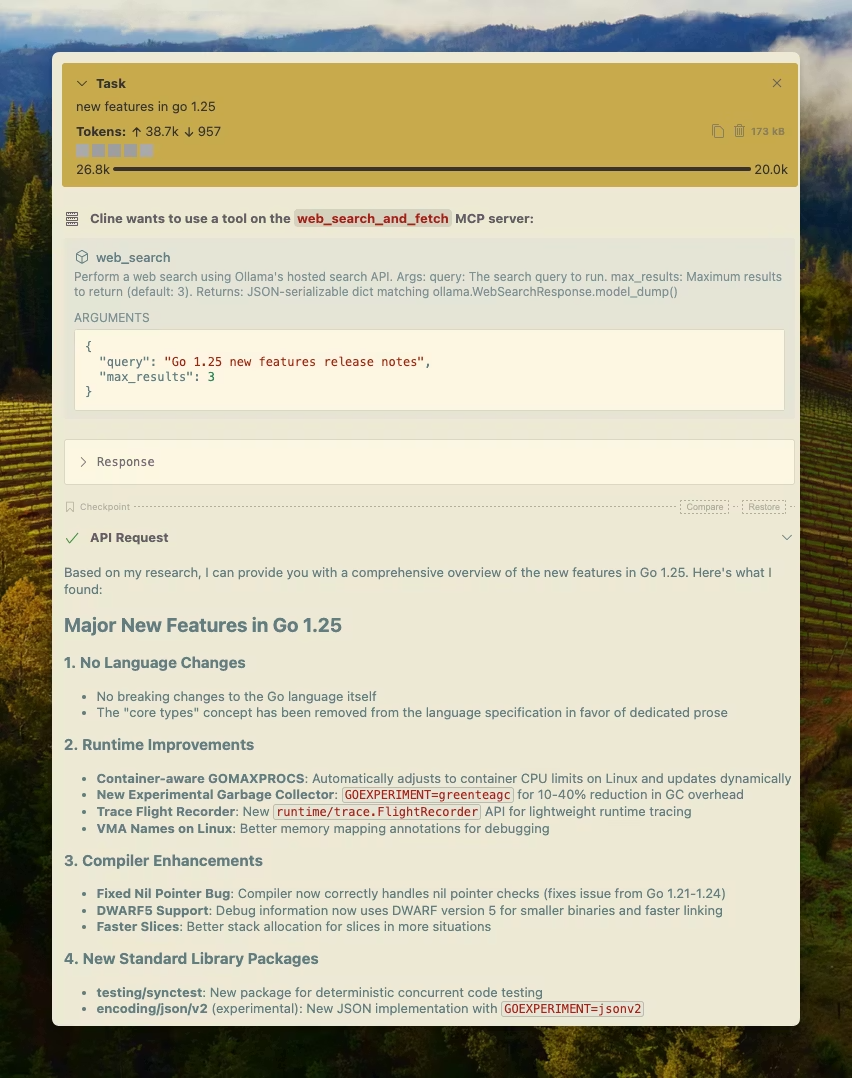
Cline
借助 MCP 服务器配置,可轻松将 Ollama 的网络搜索与 Cline 集成。管理MCP服务器 > 配置MCP服务器 > 添加以下配置:
{
  "mcpServers": {
    "web_search_and_fetch": {
      "type": "stdio",
      "command": "uv",
      "args": ["run", "path/to/web-search-mcp.py"],
      "env": { "OLLAMA_API_KEY": "your_api_key_here" }
    }
  }
}
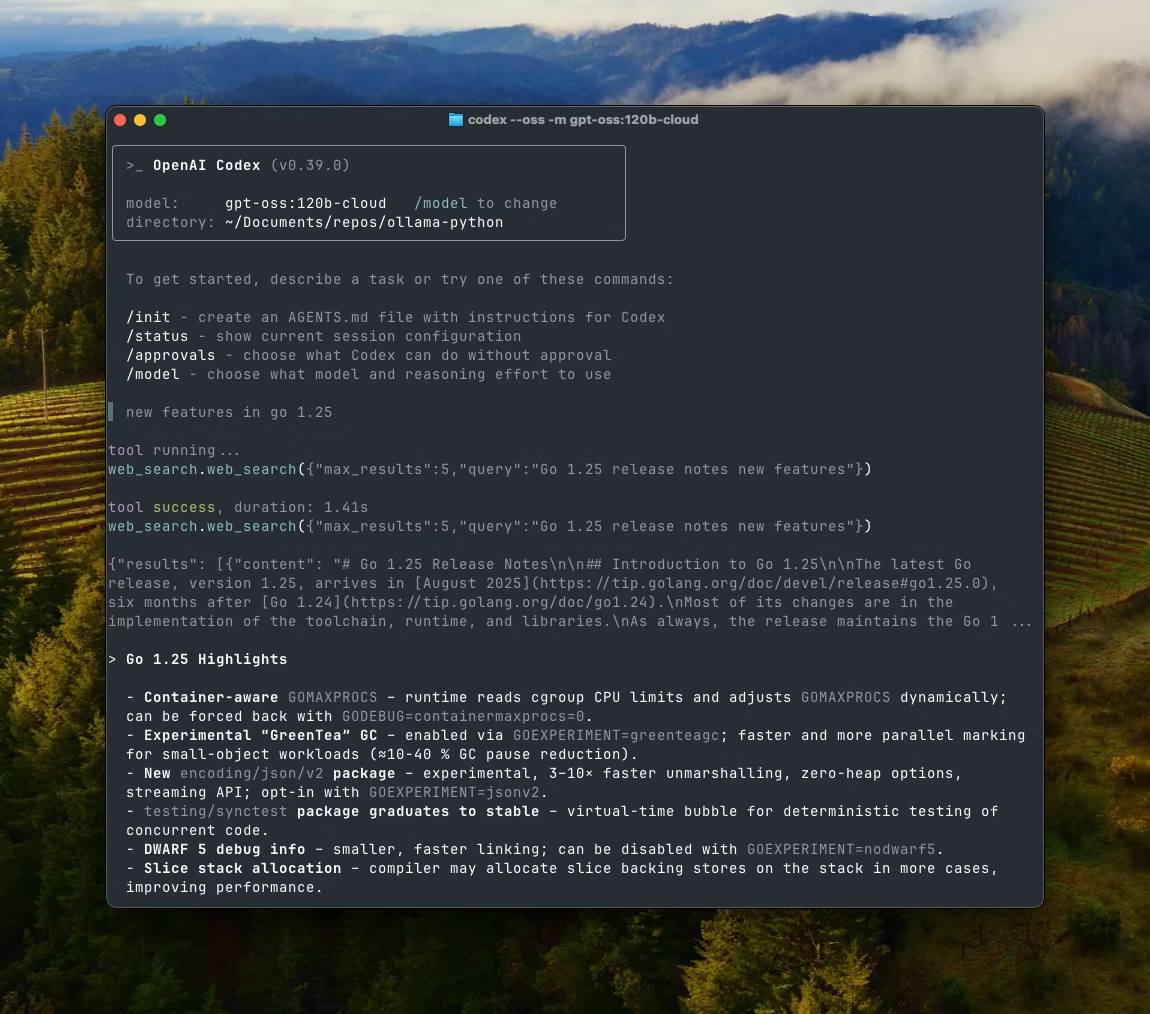
Codex
Ollama 与 OpenAI 的 Codex 工具配合良好。将以下配置添加到 ~/.codex/config.toml
[mcp_servers.web_search]
command = "uv"
args = ["run", "path/to/web-search-mcp.py"]
env = { "OLLAMA_API_KEY" = "your_api_key_here" }
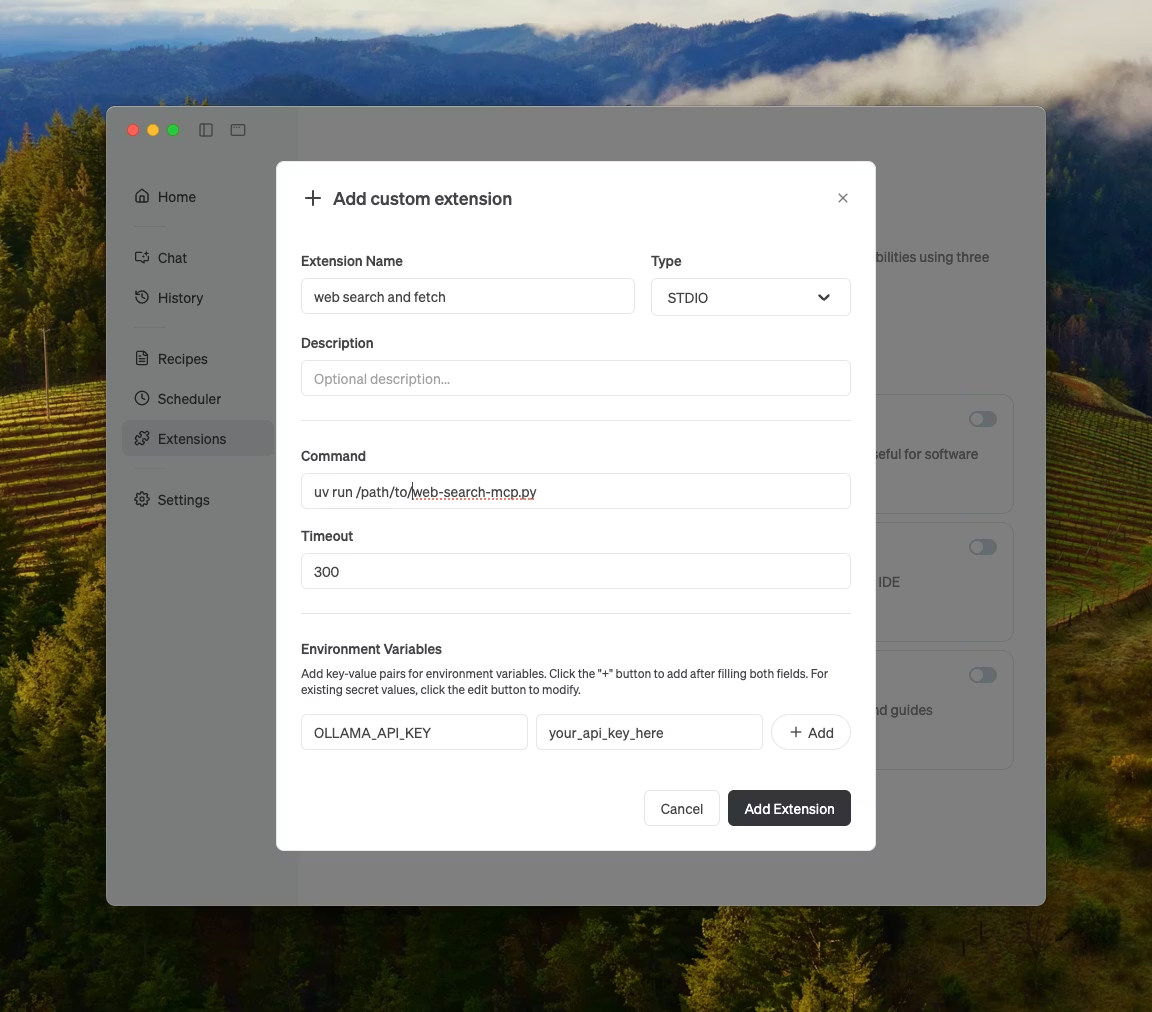
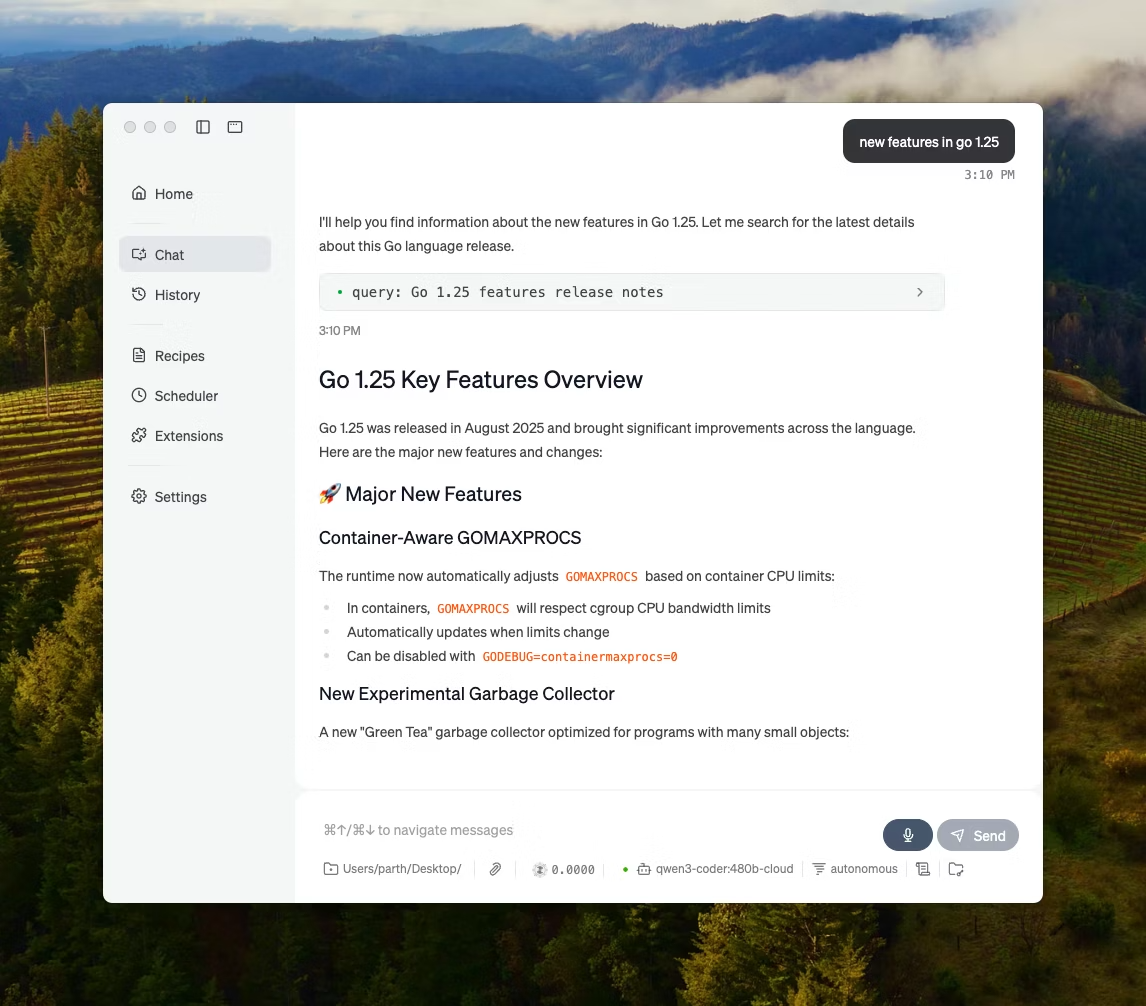
Goose
Ollama 可以通过其 MCP 功能与 Goose 集成。
其他集成
Ollama 可以集成到大多数可用工具中,具体方式包括直接集成 Ollama 的 API、Python/JavaScript 库、与 OpenAI 兼容的 API 以及 MCP 服务器集成。
原文:https://docs.ollama.com/capabilities/web-search#request
我们常常听人说,人们因工作过度而垮下来,但是实际上十有八九是因为饱受担忧或焦虑的折磨。 —— 卢伯克.J.





 川公网安备51010802032098