下载
访问 https://github.com/zkteco-home/redis-windows/releases 或者 https://github.com/tporadowski/redis/releases 地址,根据需要选择合适的版本下载。
安装
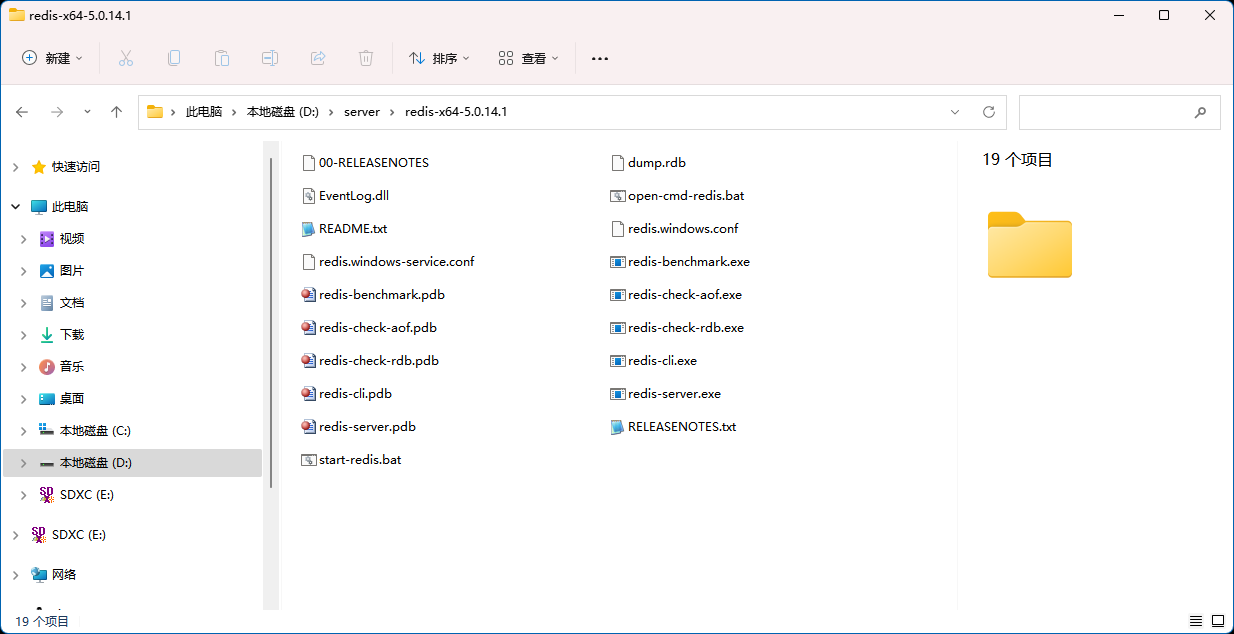
将下载的安装包解压到你想要的目录位置,如下图:
redis广告位
启动
打开 CMD 窗口,运行 redis-server.exe redis.windows.conf 命令启动 Redis,如下:
D:\server\redis-x64-5.0.14.1>redis-server.exe redis.windows.conf
[13880] 01 Feb 12:54:17.465 # oO0OoO0OoO0Oo Redis is starting oO0OoO0OoO0Oo
[13880] 01 Feb 12:54:17.465 # Redis version=5.0.14.1, bits=64, commit=ec77f72d, modified=0, pid=13880, just started
[13880] 01 Feb 12:54:17.465 # Configuration loaded
               _._
          _.-``__ ''-._
     _.-``    `.  `_.  ''-._           Redis 5.0.14.1 (ec77f72d/0) 64 bit
 .-`` .-```.  ```\/    _.,_ ''-._
(    '      ,       .-`  | `,    )     Running in standalone mode
|`-._`-...-` __...-.``-._|'` _.-'|     Port: 6379
|    `-._   `._    /     _.-'    |     PID: 13880
 `-._    `-._  `-./  _.-'    _.-'
|`-._`-._    `-.__.-'    _.-'_.-'|
|    `-._`-._        _.-'_.-'    |           http://redis.io
 `-._    `-._`-.__.-'_.-'    _.-'
|`-._`-._    `-.__.-'    _.-'_.-'|
|    `-._`-._        _.-'_.-'    |
 `-._    `-._`-.__.-'_.-'    _.-'
     `-._    `-.__.-'    _.-'
         `-._        _.-'
             `-.__.-'

[13880] 01 Feb 12:54:17.465 # Server initialized
[13880] 01 Feb 12:54:17.465 * DB loaded from disk: 0.000 seconds
[13880] 01 Feb 12:54:17.465 * Ready to accept connections
从上面输出信息可知,Redis 成功在 6379 端口启动,并且进程 ID 为 13880。
连接
打开 CMD 窗口,运行 命令连接到 Redis,如下:
D:\server\redis-x64-5.0.14.1>redis-cli.exe -h 127.0.0.1 -p 6379
127.0.0.1:6379> set url www.hxstrive.com
OK
127.0.0.1:6379> get url
"www.hxstrive.com"
127.0.0.1:6379>
从上面输出信息可知,成功链接到 Redis 服务,并且通过 set 命令设置了一个 url 键,最后通过 get 命令获取 url 键的值。


 川公网安备51010802032098