为了使用方便,下面给出了一个配置模板,包含如下函数:
make_collection() 创建一个集合,必须指定 client、集合名称,默认 embedding_function 为 None。经过测试,如果没有传递 embedding_function,会抛出 ValueError: You must provide an embedding function to compute embeddings. 错误(经过测试,将 hnsw 配置注释了,运行就正常)。
tune_for_bulk_load() 在批量灌数据前,将 sync_threshold 设置为 10 万。
tune_for_serving() 在灌数据后,又将 sync_threshold 恢复到 1000。
代码如下:
def make_collection(
    client,
    name: str,
    embedding_function=None,
    *,
    space: str = "cosine",
    ef_search: int = 100,
    ef_construction: int = 100,
    max_neighbors: int = 16,
    description: str = "",
):
    """带默认调优配置的建集合函数"""
    return client.get_or_create_collection(
        name=name,
        embedding_function=embedding_function,
        configuration={
            "hnsw": {
                "space": space,
                "ef_search": ef_search,
                "ef_construction": ef_construction,
                "max_neighbors": max_neighbors,
                # 灌数据阶段可以临时调大,这里保持默认
                "sync_threshold": 1000,
                "batch_size": 100,
            }
        },
        metadata={"description": description, "space": space, "ef_search": ef_search},
    )


def tune_for_bulk_load(col):
    """批量导入前调用"""
    col.modify(configuration={"hnsw": {"sync_threshold": 100_000, "batch_size": 1000}})


def tune_for_serving(col, ef_search: int = 100):
    """导入完切回服务模式"""
    col.modify(configuration={
        "hnsw": {"sync_threshold": 1000, "batch_size": 100, "ef_search": ef_search}
    })


# 使用模板创建集合和灌数据
if __name__ == "__main__":
    import chromadb
    import os
    import tempfile
    from chromadb.utils.embedding_functions import OllamaEmbeddingFunction

    # 持久化示例写到临时目录,工作目录保持干净
    os.chdir(tempfile.mkdtemp(prefix="chroma_demo_"))

    # 创建 Ollama 本地嵌入函数
    ef = OllamaEmbeddingFunction(
        url="http://localhost:11434",
        model_name="bge-m3",  # 先在 ollama 里 pull 下来
        timeout=60,
    )

    # 创建持久化客户端和集合
    client = chromadb.PersistentClient(path="./chroma_data")
    col = make_collection(client, "kb_demo", embedding_function=ef,
                          space="cosine", ef_search=150, description="产品知识库")
    # 灌数据前调用,修改 sync_threshold 阈值
    tune_for_bulk_load(col)

    # ... 灌几十万条 ...
    # 下面仅仅写入几条,你可以灌几十万条数据
    col.add(
        ids=["r1", "r2", "r3", "r4", "r5"],
        documents=[
            "退款流程:在订单页点申请退款,3 个工作日内到账",
            "发票开具:在订单详情页申请电子发票",
            "物流查询:发货后可在物流详情里看到进度",
            "退货政策:7 天无理由退货,运费买家承担",
            "账号安全:如何修改密码和绑定手机",
        ],
        metadatas=[
            {"cat": "售后", "year": 2024, "score": 0.9, "tags": ["退款"]},
            {"cat": "财务", "year": 2023, "score": 0.5, "tags": ["发票"]},
            {"cat": "物流", "year": 2024, "score": 0.7, "tags": ["物流"]},
            {"cat": "售后", "year": 2022, "score": 0.3, "tags": ["退货"]},
            {"cat": "账号", "year": 2024, "score": 0.6, "tags": ["安全"]},
        ],
    )

    # 数据灌完,恢复 sync_threshold 阈值
    tune_for_serving(col, ef_search=150)
    print("完成了")
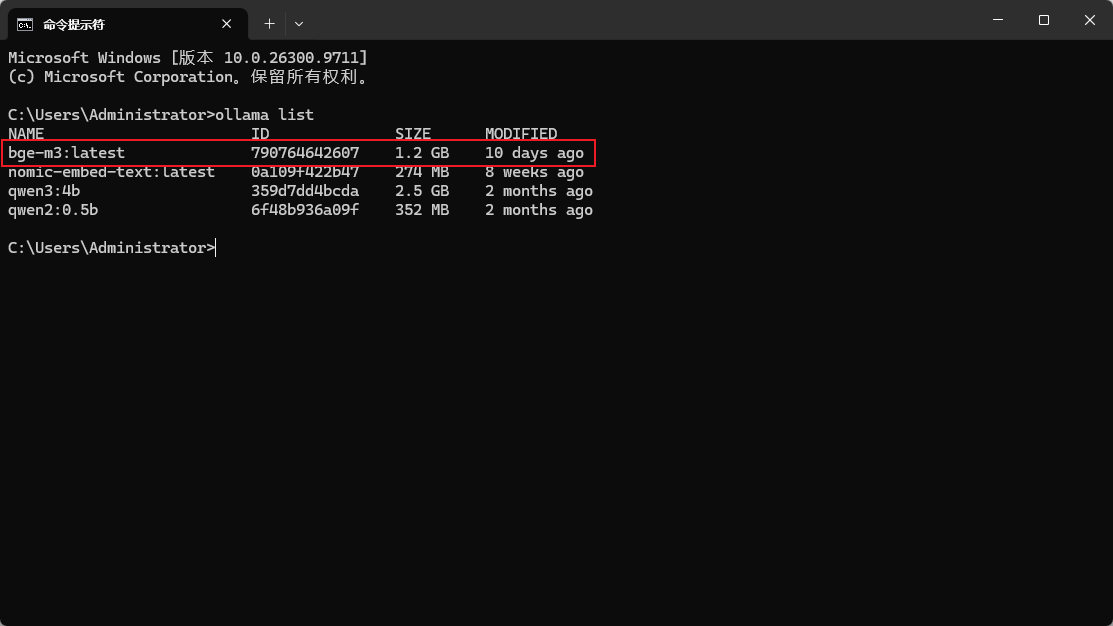
注意,上面示例使用 OllamaEmbeddingFunction 作为演示的嵌入函数,要求你打开 Ollama 服务,并且下载 bge-m3 模型,如下图:


 川公网安备51010802032098